Cleanroom Tracker · Unit II · Baddi
Computer System
Validation
Environmental monitoring data feeds batch release decisions — this system has to be provably validated before it's trusted for GMP records. This page tracks that work as it happens.
Why it matters
EM data drives batch release. A software defect here is a product-quality risk, not just a bug.
What's tested
Every requirement, weighted by risk — audit trail and timestamps get the deepest scrutiny.
What ships
A signed Validation Summary Report stating the system is fit for its intended use.
01 — Overview
Why this exists
Cleanroom Tracker is a GxP system. Before its records can be trusted for GMP purposes, the software itself has to be validated — proof, on paper, that it does what it claims and can't be quietly wrong.
Two regulations set the bar: EU GMP Annex 11 (Computerised Systems) and 21 CFR Part 11 (Electronic Records; Electronic Signatures). Together they require a documented, risk-based validation exercise — not just working software, but evidence that it works, kept on file.
The system now spans two units and nine facilities — Unit I (Panchkula: GF-IC, GF-FILL, FF-QCM, FF-SOL) and Unit II (Baddi: A, B, CD, F, GH) — each with its own digital twin, but sharing one codebase, one RBAC model, and one audit trail mechanism. Validation scope covers the shared platform; facility-specific twin geometry is reviewed separately at /twin-review before a new facility goes live for round planning.
Computer System Validation (CSV)
The overall exercise: prove the system does what it's specified to do, consistently, and that any failure mode is understood and acceptable.
IQ / OQ / PQ
The three qualification stages inside CSV — is it installed correctly, does it function correctly, does it hold up under real use.
02 — Status
Where validation stands today
Seven stages, run in order. Nothing below is formally complete yet — this page updates as each stage is executed and signed off.
Validation Plan
Scope + approach
URS
What it must do
Risk Assessment
Where to look hard
IQ
Environment is right
OQ
Functions work
PQ
Holds up in real use
VSR
QA sign-off
◎Reading this page
03 — Approach
Risk-based, not exhaustive
Not every feature carries the same risk if it breaks. Testing depth follows GAMP 5's risk-based model — dig deep where a defect could cost data integrity or product quality, test lighter where it can't.
High risk — deep testing
- Audit trail immutability
- T1 / Place All / Retrieve All timestamps
- 120h incubation gate + early-override deviations
- Checked-round immutability
- Exposure duration calculations
- PDF record accuracy
- Access-control boundaries between roles and facilities
Lower risk — lighter testing
- Cosmetic UI, branding, and layout
- PWA / offline behaviour
- Ambient audio cues (opt-in, non-GMP)
- Digital-twin visual fidelity (reviewed separately at /twin-review)
04 — Requirements
What the system has to do
The User Requirements Specification (URS) is the numbered source of truth everything else validates against. It covers seven areas:
Access control
Operator, Checker, and Admin see and can do only what their role — and assigned facility — allows.
Round lifecycle
Plan → Start T1 → Place All → Retrieve All → Incubation (120h gate) → Checked, in that order.
Plate mapping
EM locations are pinned to true geometry per facility, and the layout can be frozen.
Audit trail
Every state change is logged with who, what, and when — permanently, and attributed only from the server session.
Chain of custody
PDF records show every lifecycle step attributed to a real, authenticated identity.
Guardrails
Early placement and early colony-count entry are blocked unless an audit-logged deviation reason is given.
Multi-facility scope
Unit I (GF-IC/GF-FILL/FF-QCM/FF-SOL) and Unit II (A/B/CD/F/GH) share one platform; deployments can be scoped to a single unit.
05 — Risk assessment
What could actually go wrong
A simple FMEA-style question drives the whole exercise: if this breaks, does it put product quality, patient safety, or data integrity at risk?
Anything that touches an exposure timestamp, an audit entry, or a printed GMP record sits at the top of the list. Anything that's purely visual — spacing, colour, animation — sits at the bottom. The Risk Assessment document formalises this into a scored table that the OQ test scripts are built from directly.
06 — Qualification
IQ, OQ, PQ
Three stages, each proving a different thing. All three have to pass before the system is considered validated.
Installation
IQ
The environment the system runs in is correct and controlled.
- Deployment config, versions pinned
- Environment variables correct, incl. ACTIVE_UNIT scoping
- HTTPS enforced, backups configured
- Production access is restricted
Operational
OQ
Every function works as specified — including what should fail.
- RBAC enforced per role and facility
- 120h gate + checker immutability hold
- Guardrails block bad inputs
- PDF reports match source data
Performance
PQ
It holds up under real operating conditions, not just test scripts.
- Live rounds run across shifts and facilities
- Multiple real operators
- Audit trail integrity under real use
- QA sign-off that it meets real needs
✦121 automated tests, 25 files
07 — Part 11 / Annex 11
The controls that actually matter
Beyond functional testing, these controls are checked directly against regulatory text — including two open findings worth tracking as their own action items.
Audit trail
Computer-generated, timestamped, independent of the operator, and provably not alterable. Attribution is now resolved server-side from the session only — a client can no longer supply its own name for the record.
Checker immutability
Once a round is marked Checked, the API rejects any further edit to colony counts — verified in code and by direct testing, not just by UI convention.
Chain of custody
Every round PDF lists each lifecycle step (Place, Retrieve, Incubate, Enter Results, Check) with a real name, role, and timestamp — stronger provenance than a single pre-printed signature.
ALCOA+
Data is Attributable, Legible, Contemporaneous, Original, Accurate, Complete, Consistent, Enduring, and Available.
Change control
Every future release to the validated system gets an impact assessment before it goes live.
Periodic review
The system is periodically re-confirmed to still be in its validated state.
⚠Open finding — e-signatures
✦Closed — checking a round is now Checker/Admin only
POST /api/rounds/[id]/check now requires canCheck (Checker or Admin). Operators no longer see Mark checked on the rounds desk, and a low-privilege session receives 403. Segregation of duties between whoever ran the round and whoever checks it is a system control, not SOP-only.Closed✦Closed — master-data APIs re-check role
/api/admin/[entity] (rooms, EM locations, media batches, process offsets, schedules, operators) now requires canAccessSettings on GET, POST and PATCH, matching the qualifications and facility-assignment siblings. User-account management remains Admin-only. An operator session can no longer read or write master data by hitting the API directly.Closed◎Place All requires qualification; Retrieve All does not
08 — Evidence
Not theoretical — captured from the live app
These screenshots come from a real, scripted walkthrough of the actual application — a round planned, started, exposed, retrieved, incubated, counted, and checked end to end — not mockups. Each one is objective evidence for a specific control above.
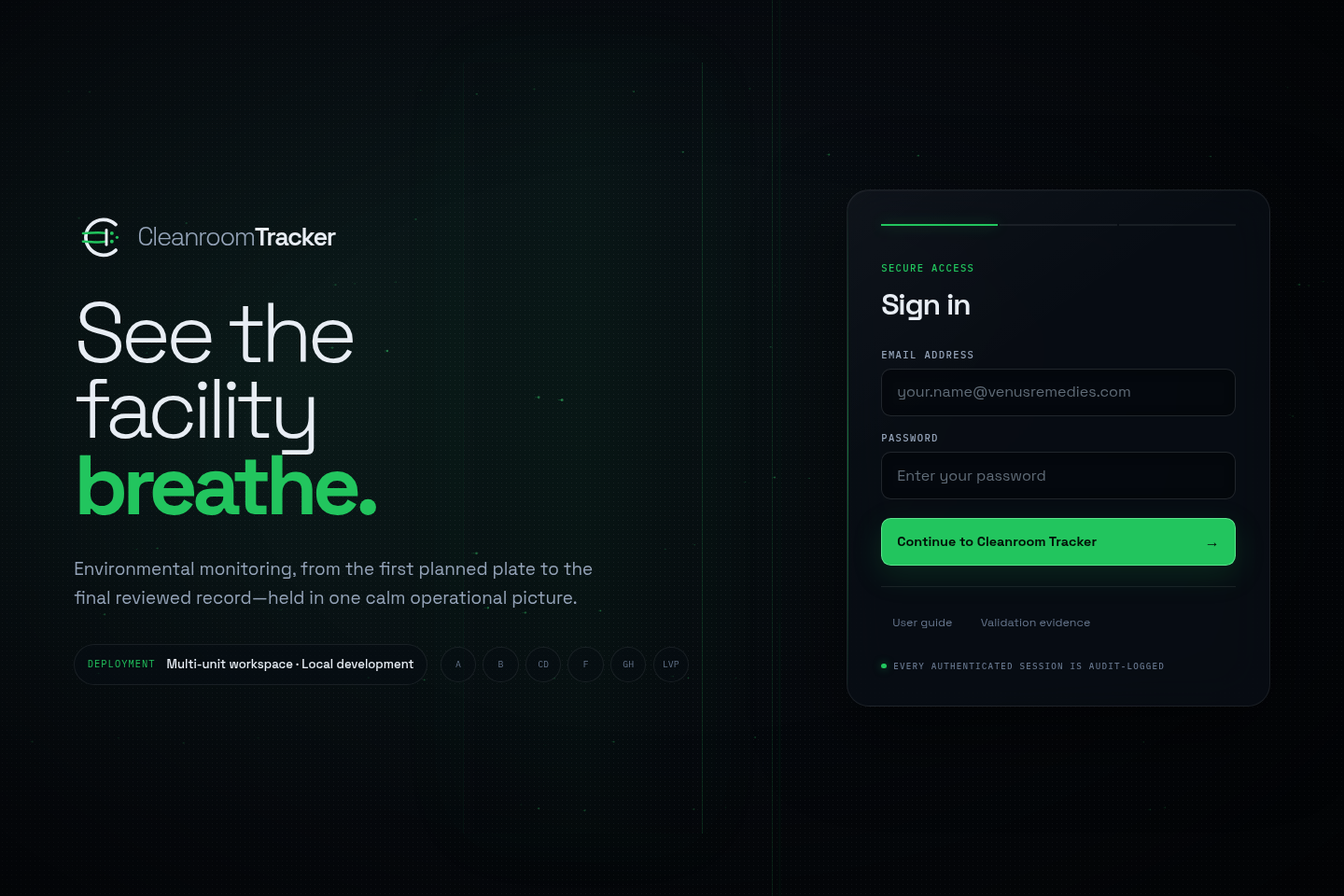
Public docs, gated app
The guide and this validation page are reachable without signing in — everything else requires authentication. Facility badges (A, B, CD, F, GH, GF-IC, GF-FILL, FF-QCM, FF-SOL) confirm the multi-facility scope.
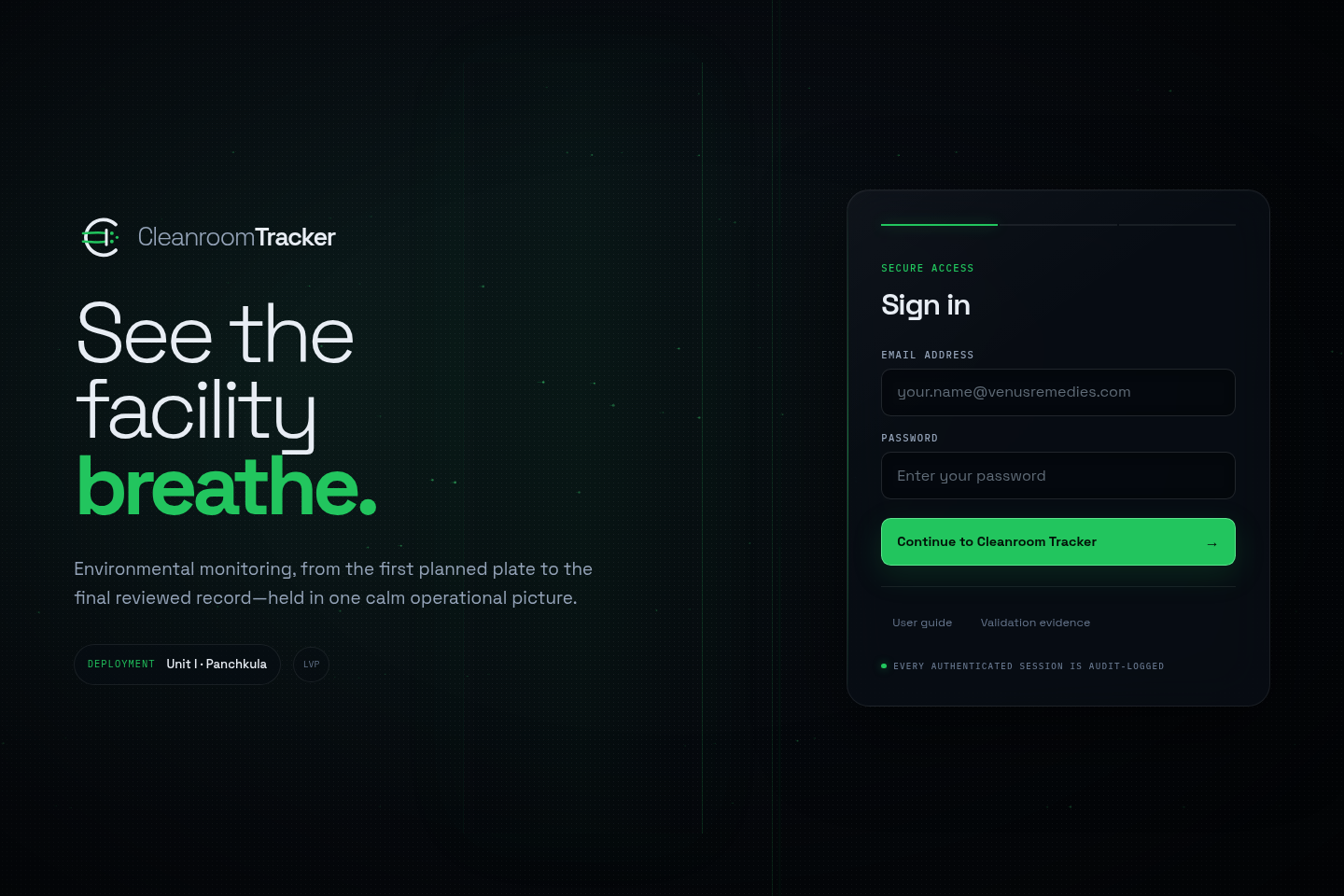
Unit-scoped deployment
The same login, run with ACTIVE_UNIT=U1 — deployment shows only Unit I · Panchkula and its four area badges, confirming IQ-relevant environment scoping works.
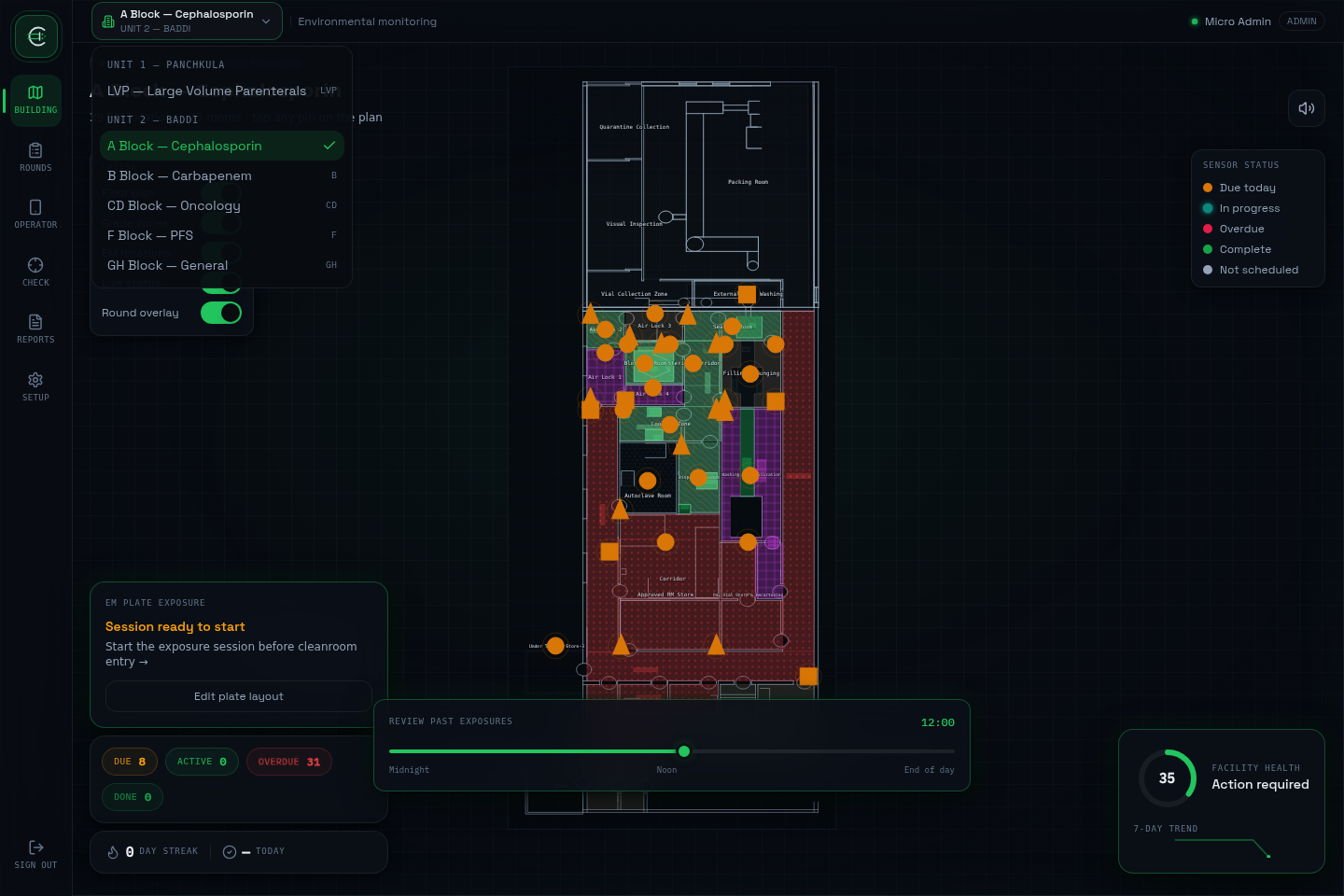
Facility switcher
Facilities are grouped by unit. Switching facility does not require signing out — the session's access boundary is enforced underneath, not just the UI list.
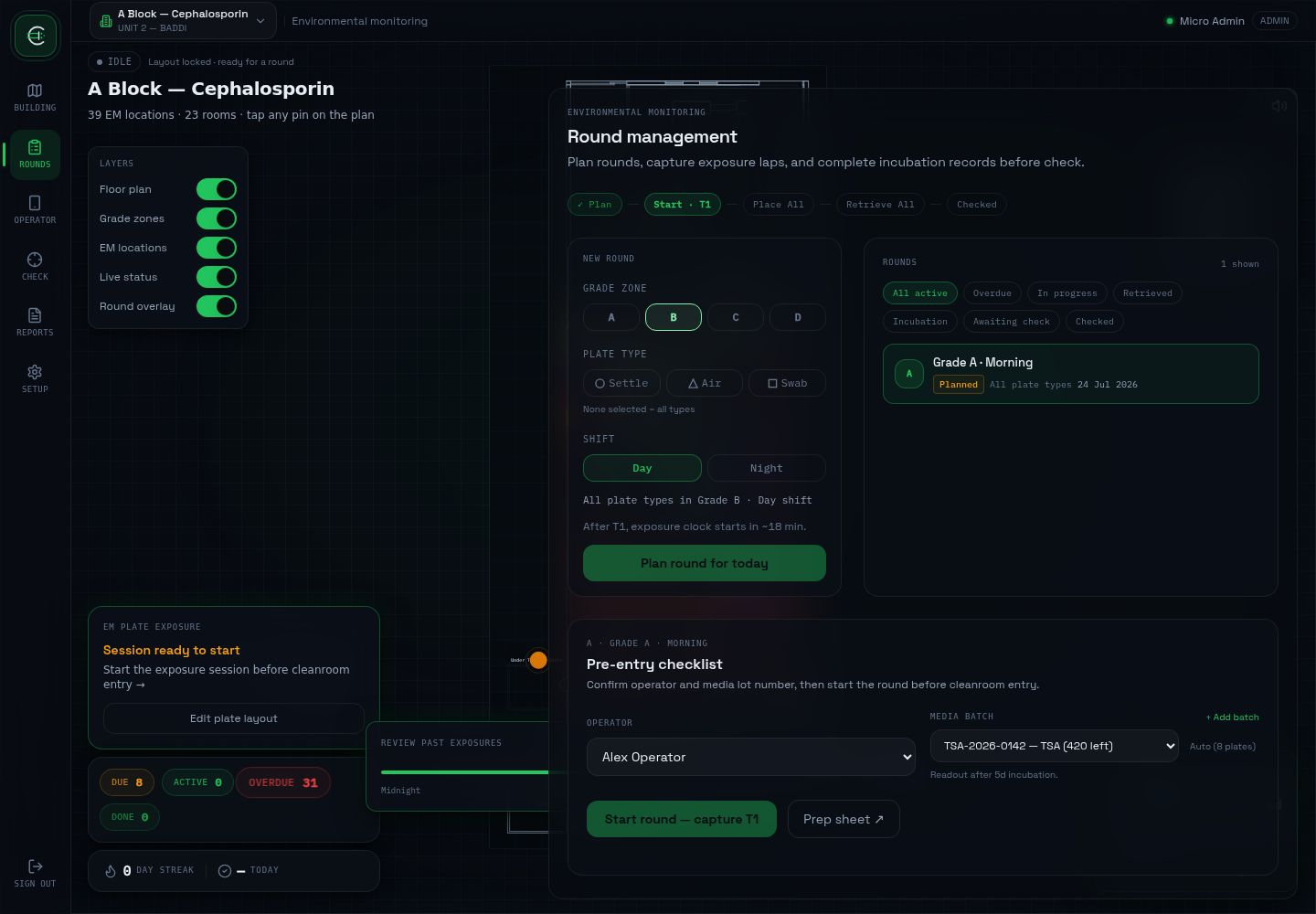
T1 timestamp captured
Starting a round records a real system-generated timestamp — not operator-entered, not editable.
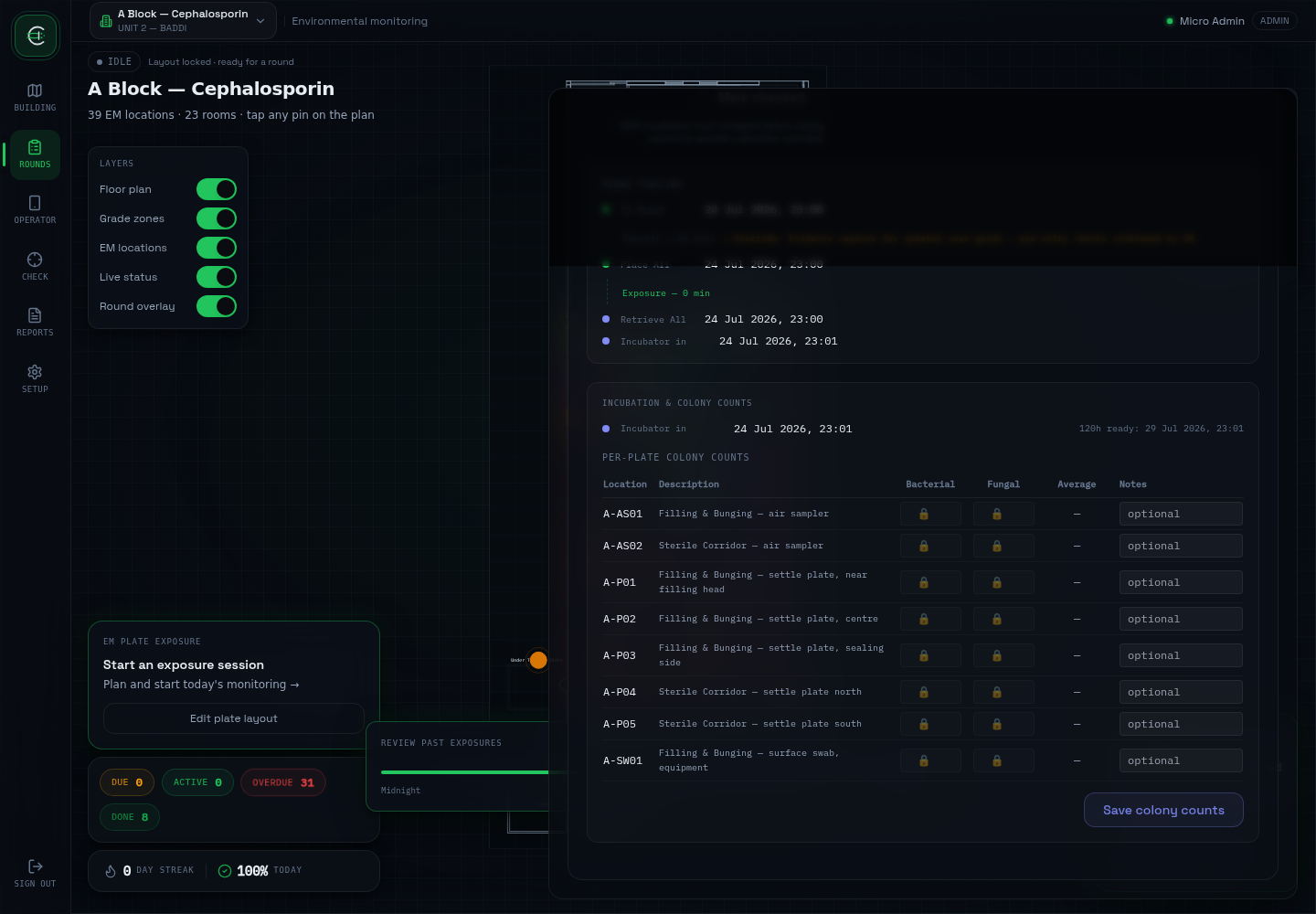
120h gate blocks early entry
Colony counts can't be entered before 120h post-incubation unless a deviation reason is given — and that reason is what unlocks the fields, not a UI toggle.
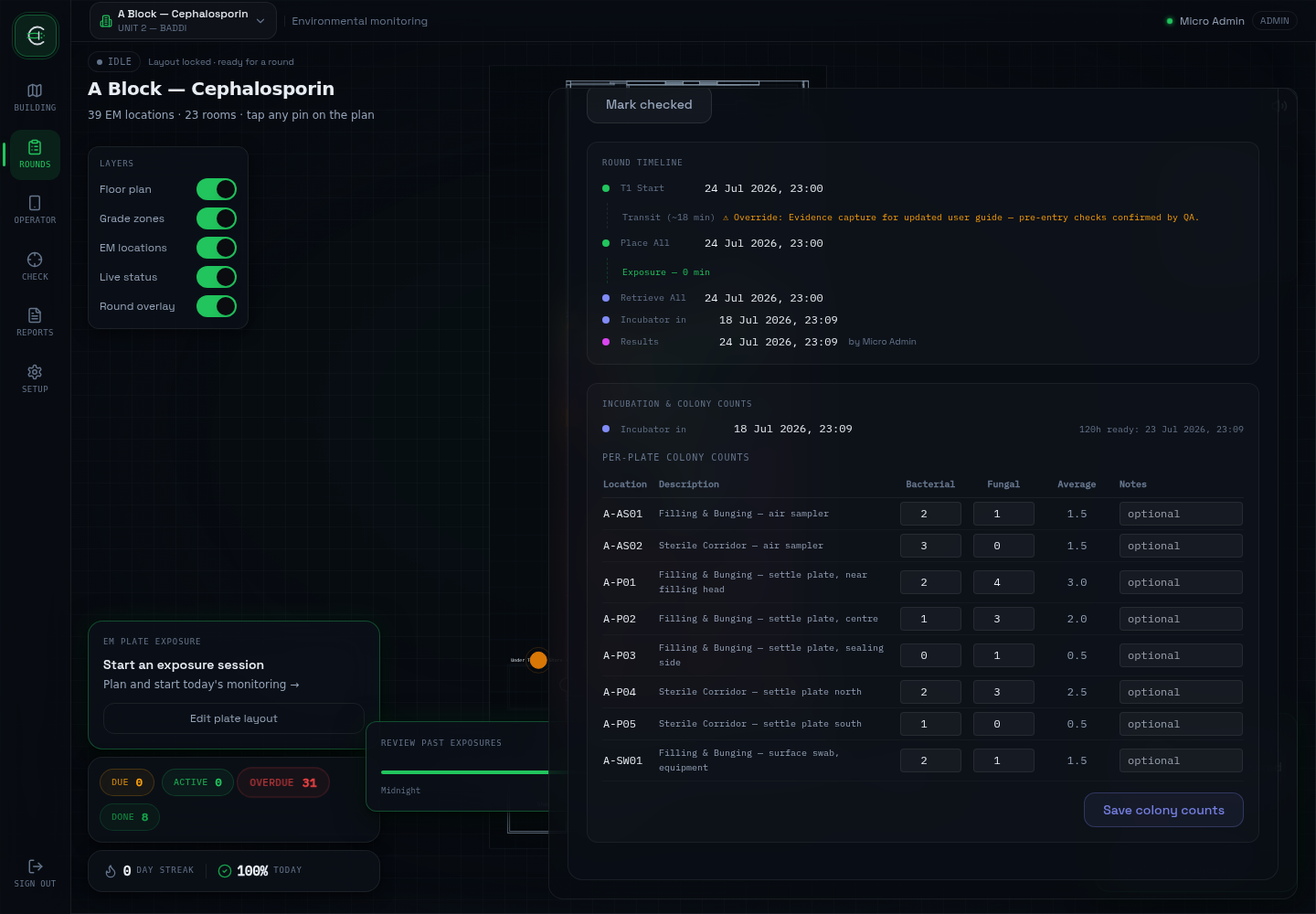
Counts entered, gate satisfied
Once the gate opens, per-plate bacterial/fungal counts are entered and saved, attributed to the real signed-in user ('by Micro Admin').
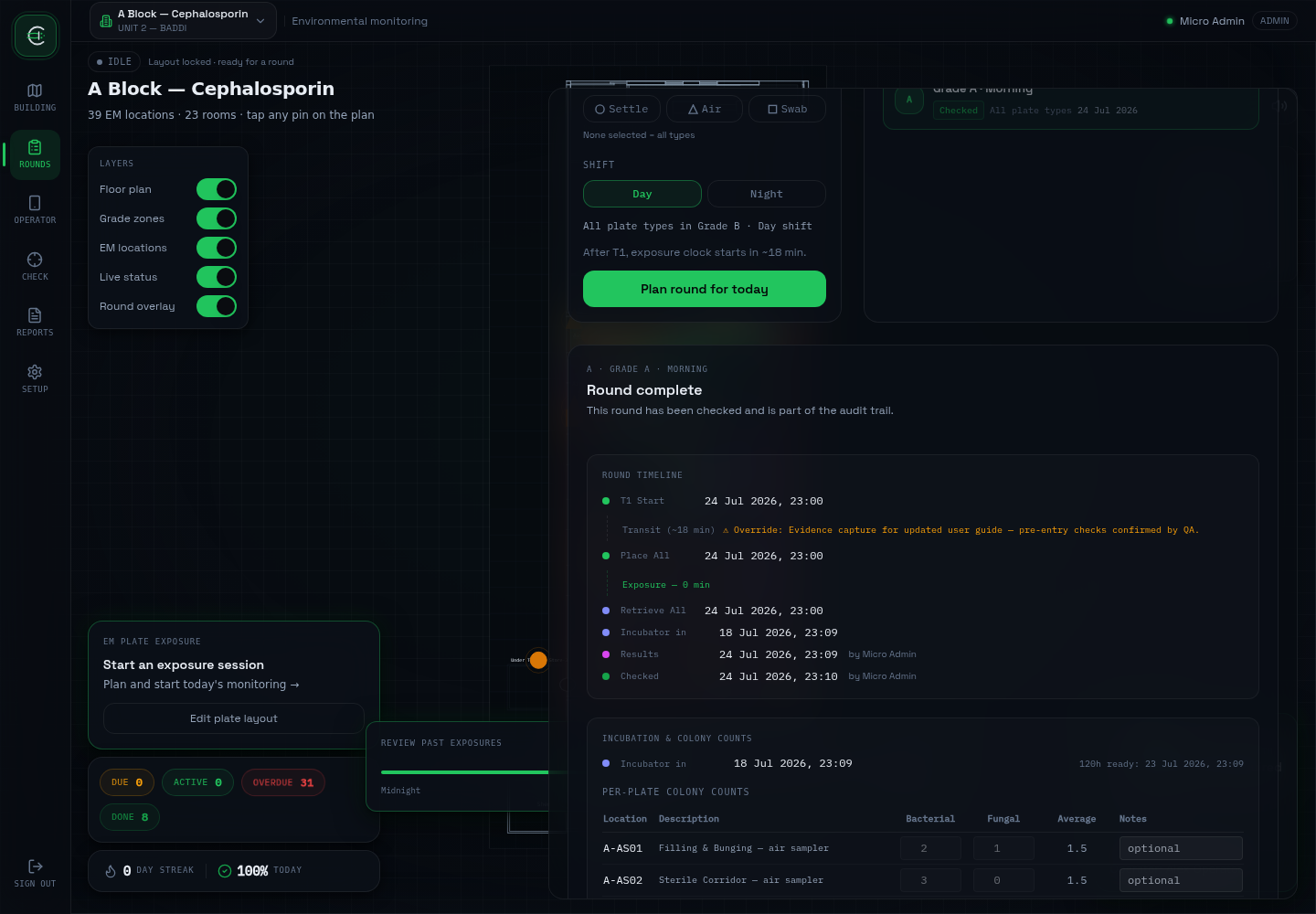
Checked — and now immutable
Full round timeline: T1, Place All override, Retrieve All, Incubator in, Results, Checked — every stage timestamped and attributed. Count fields are visibly disabled after check.
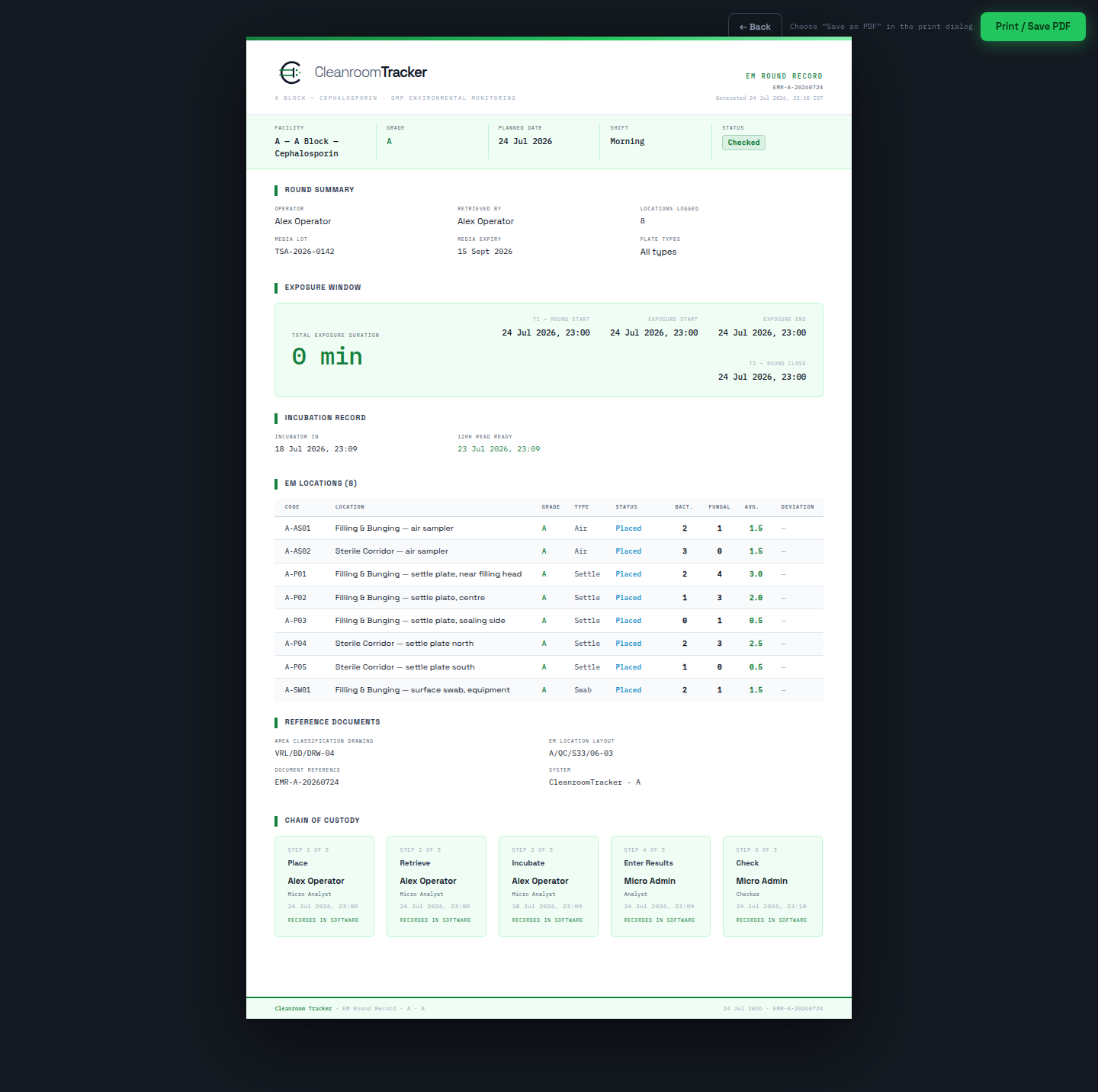
GMP PDF — chain of custody
The exported record for this exact round, including the 5-step chain-of-custody block described in §7 — the concrete artifact behind the open e-signature finding.
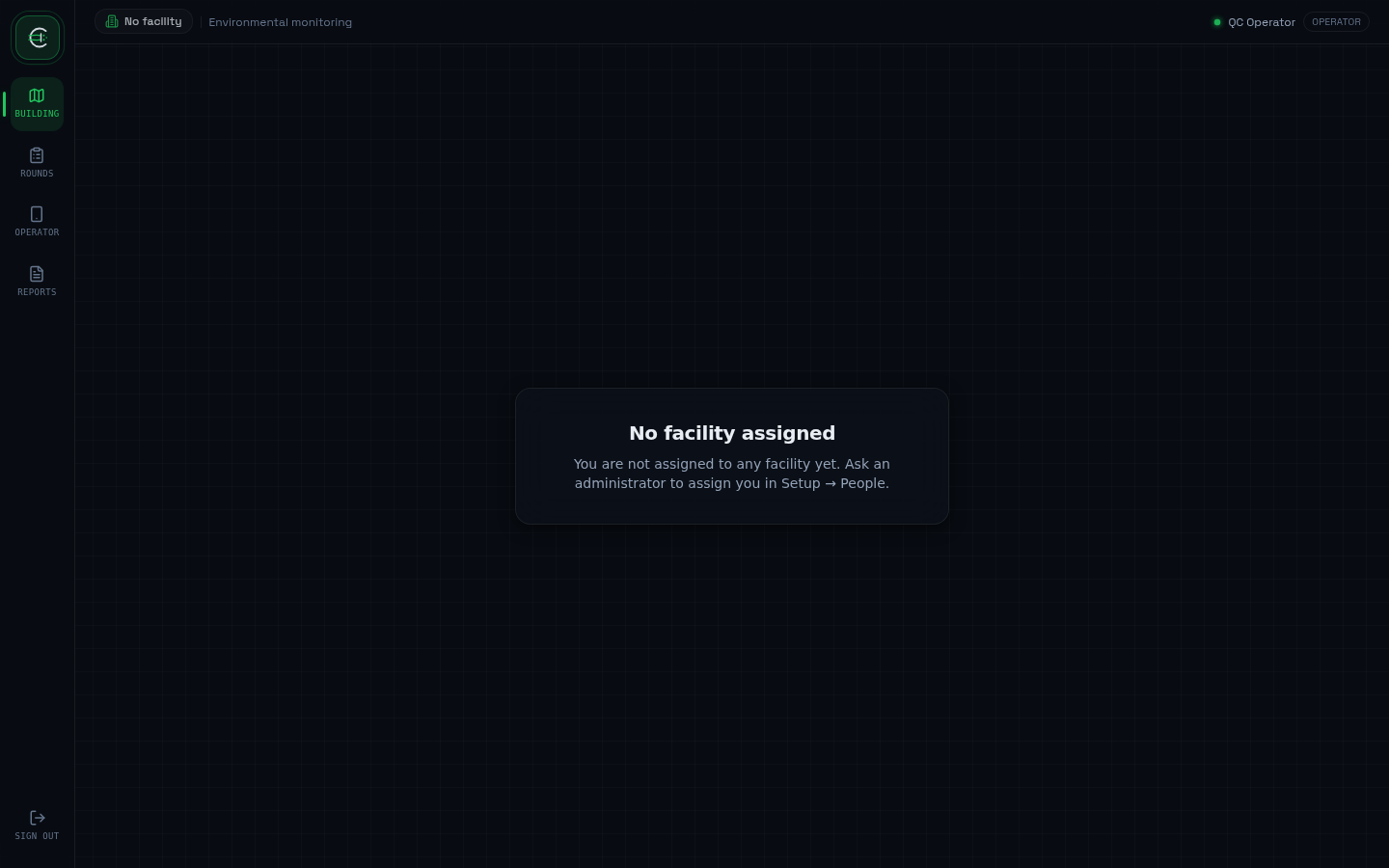
Operator — no facility, no Check/Setup
A newly created Operator sees 'No facility assigned' until an Admin assigns one, and the nav never shows Check or Setup for this role.
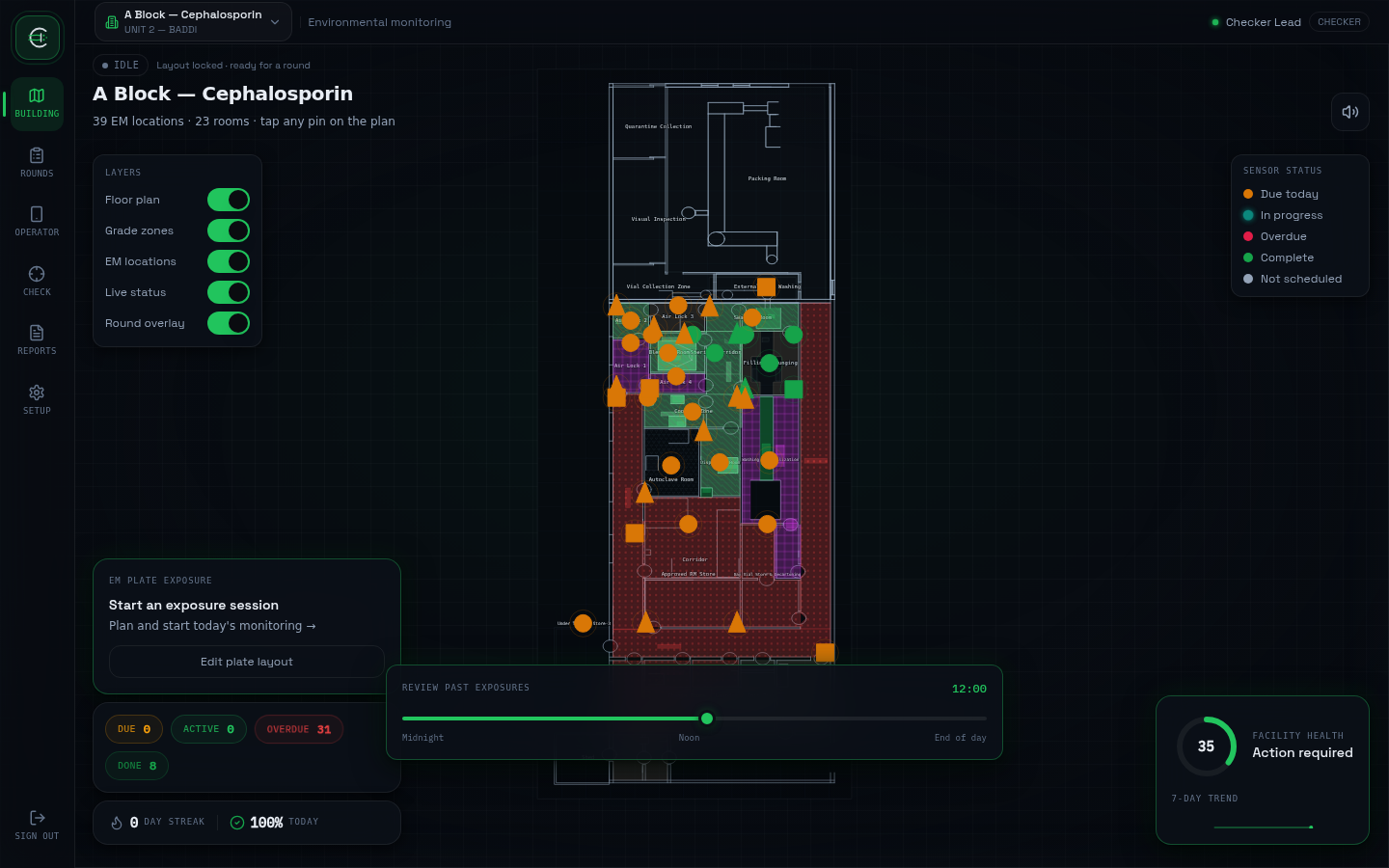
Checker — same rail as Admin
Checkers get the full nav including Setup. Setup access is Checker+Admin by design, and the master-data API now re-checks that role rather than trusting the nav.
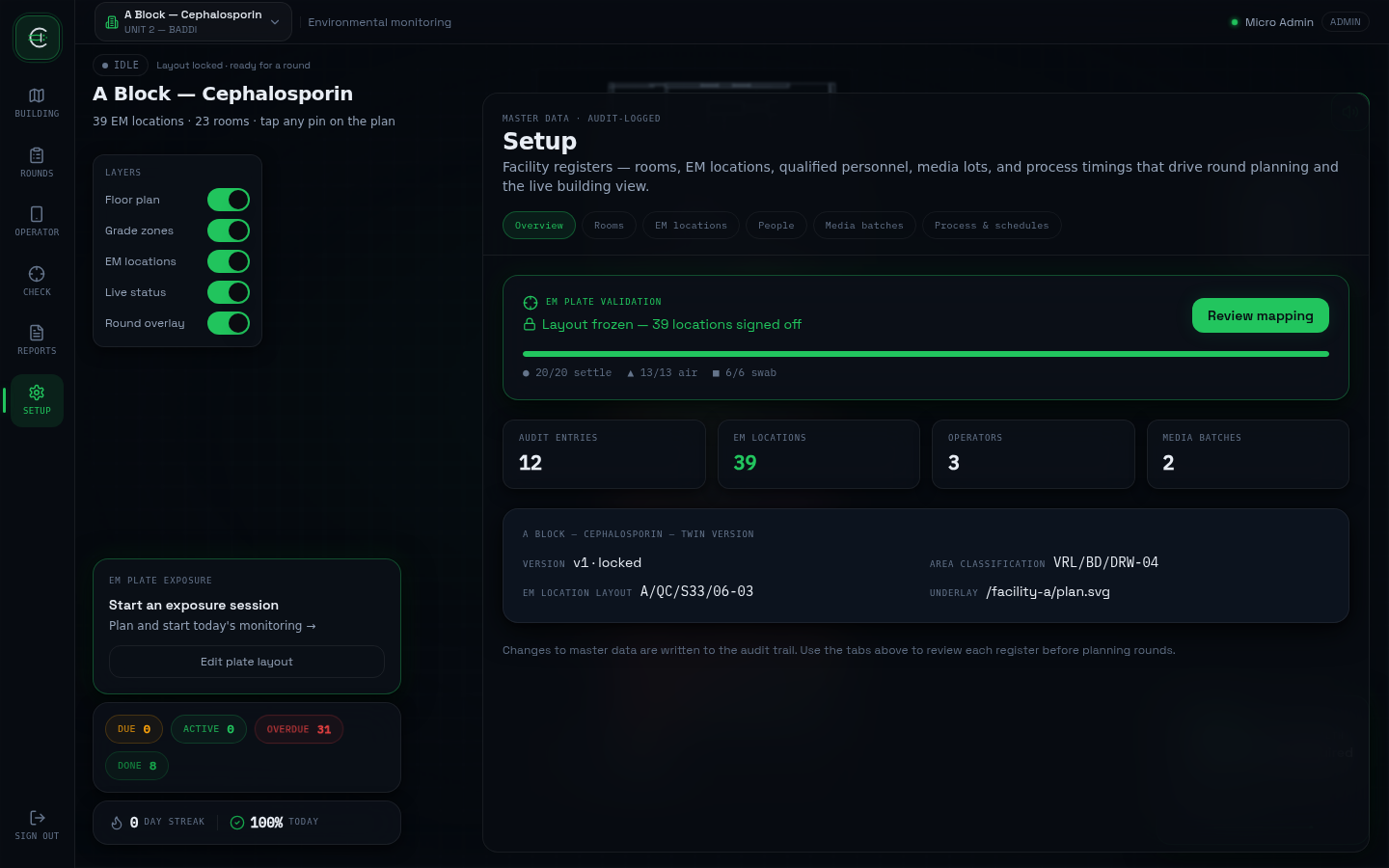
Setup — master data
Rooms, EM locations, people, media batches, process timings — the configuration every round and every twin depends on.
◎Where these live
In progress
Validated once, trusted every time after.
This page will track real status as each stage is executed and signed off. Until then, treat every stage above as not yet started, and the three open findings in §7 as live action items.
Read the user guide →